01
Keep it within reach
Open the Extensions menu, then select the pin beside QR Code Generator for Business Card.
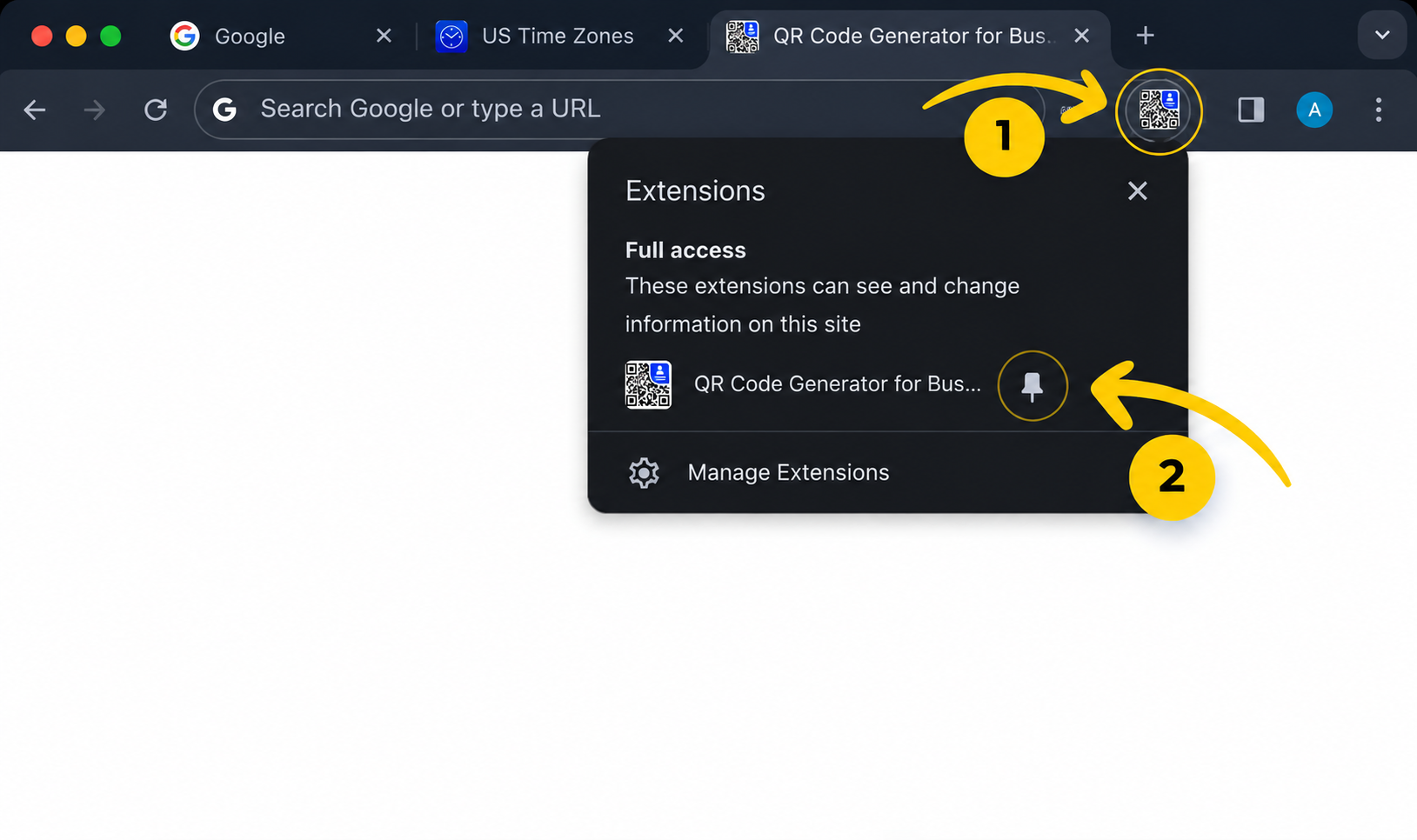
Open the Extensions menu, then select the pin beside QR Code Generator for Business Card.
Click the pinned extension icon, enter your contact details, and generate a downloadable vCard QR code.
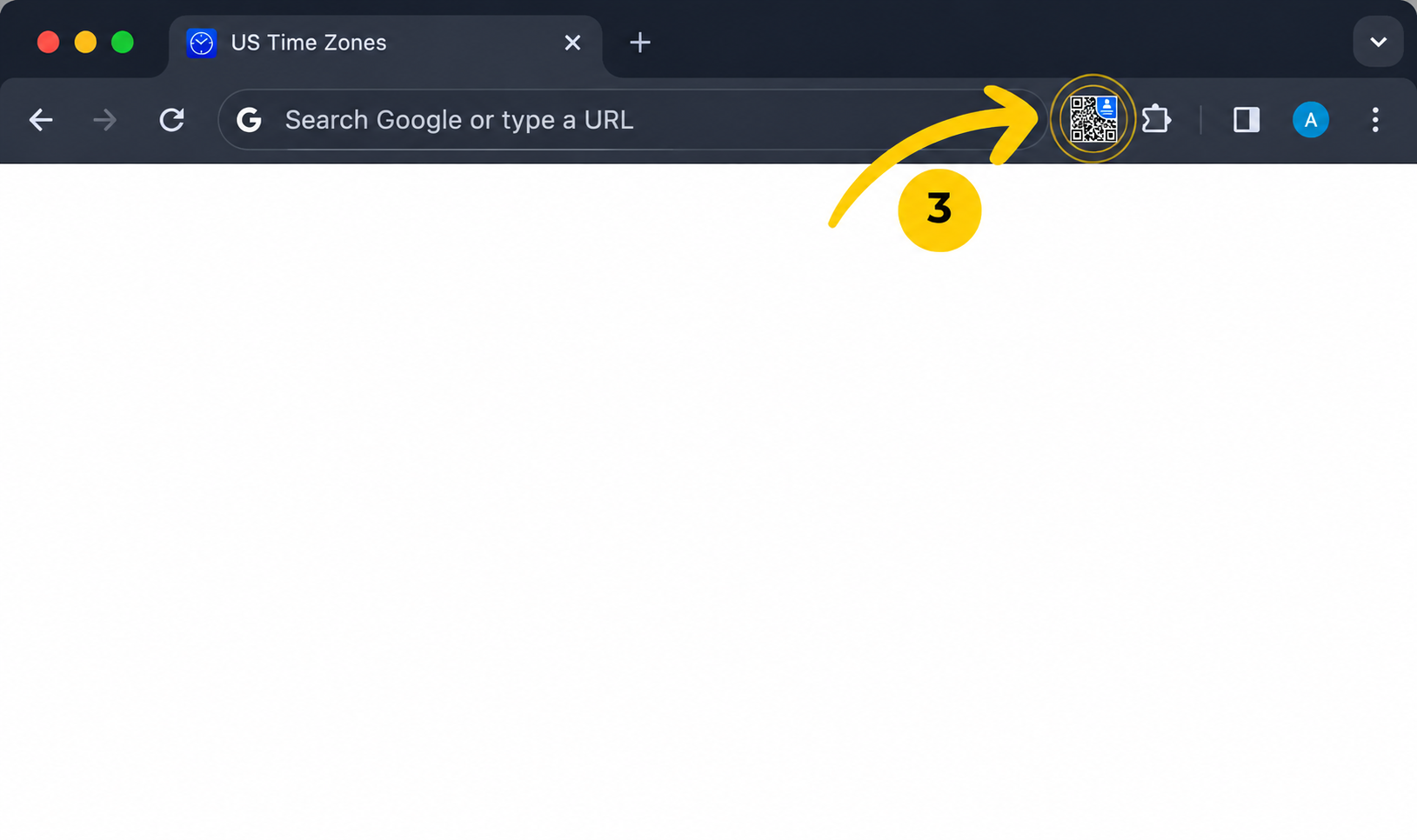
Everything runs locally in your browser, so creating and sharing a business card stays quick and private.